Key takeaways
- Cloud-based tools like Runway and Pika work immediately but limit free users to 5-30 clips per month with 3-5 second durations and watermarks on some platforms
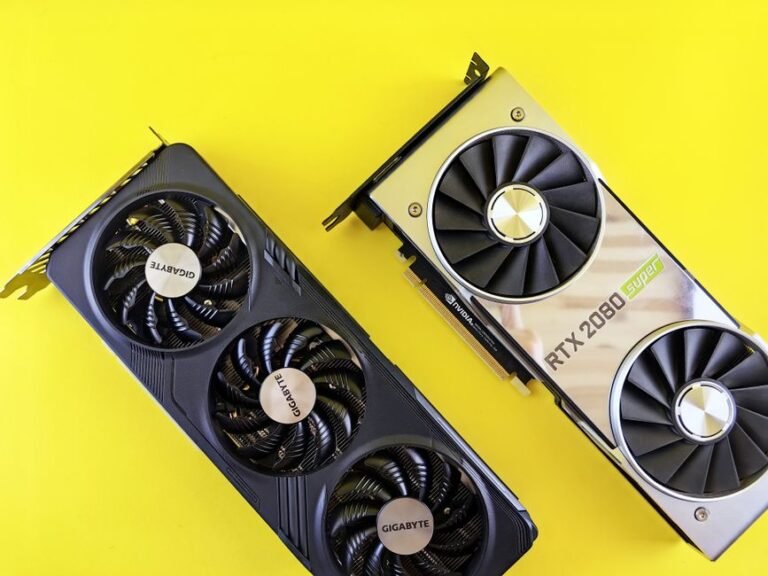
- Running open-source models locally costs nothing per generation but requires an NVIDIA RTX 3090+ or Apple M2 Ultra and several hours of technical setup
- Effective prompts are single sentences with concrete subjects and simple actions—complex narratives confuse current models
- Paid plans ($10-30/month) remove watermarks, skip queues, and unlock 10-second clips, but no tool generates longer than 10 seconds in a single pass
- Total workflow from prompt to finished clip takes 10-15 minutes for a successful first try, or 30-40 minutes when iterating
In this guide
- How to Make Text to Video AI
- What’s Actually Broken vs. What’s a Limitation
- Write a Prompt That Actually Works
- Cloud-Based Tools: Fast Setup, Recurring Costs
- Open Source Models: No Monthly Fee, High Upfront Effort
- The Actual Workflow From Prompt to Export
- How to Tell It’s a Hardware or Network Problem
- When to Stop and Contact Support
- What Free Actually Means in 2026
- Frequently Asked Questions
How to Make Text to Video AI
Sign up for Runway Gen-3 Alpha Turbo, Pika 1.5, or Luma Dream Machine, type a one-sentence description of the scene you want (“a golden retriever running through a meadow at sunset”), click generate, and wait 60 seconds to 3 minutes depending on server load. The platform renders a 3-5 second video clip and delivers it as an MP4 file you can download. Free accounts limit you to a handful of clips per month; paid plans start at $10 and remove watermarks or queue delays.
The constraint all these tools share: you cannot generate clips longer than 5-10 seconds in a single pass, and free tiers cap your monthly output to somewhere between 30 seconds (Pika) and five total clips ever (Runway’s non-renewing credit pool). If you need more, you pay or you switch to a local open-source model that requires an NVIDIA RTX 3090 and Python fluency.
What’s Actually Broken vs. What’s a Limitation
| Symptom | Cause | Fix |
|---|---|---|
| “Generation failed” error after 2 minutes | Prompt contains restricted words (weapons, nudity, real people’s names) | Rewrite without brand names or celebrity references; avoid violence |
| Video is only 3-4 seconds long | Free tier caps clip length | This is the limit—paid plans unlock 10-second clips on most platforms |
| Output looks nothing like your prompt | Prompt is too vague or contains conflicting instructions | Use one sentence, one subject, one action: “a cat jumping onto a kitchen counter” |
| Stuck at “queued” for 10+ minutes | Server load during US evening hours | Try between 6-10 AM Eastern or use a paid tier that skips the queue |
| Watermark covers half the frame | Free tier behavior on Luma Dream Machine | Pay $29/month to remove it, or accept it for social media tests |
Write a Prompt That Actually Works
Text-to-video AI models in 2026 cannot interpret complex narratives. They excel at single shots with clear subjects and motion.
Good prompt: “A red sports car driving down a coastal highway at golden hour, camera tracking from the side.”
Bad prompt: “Create a cinematic video showing the journey of a young entrepreneur who overcomes obstacles and achieves success in a montage style with inspiring music.”
The model will ignore abstract concepts like “inspiring” and “journey.” It needs concrete nouns and verbs. Specify camera movement when it matters—”drone shot pulling back,” “close-up,” “slow pan left.” Most tools default to a static or gently moving camera if you don’t.
Keep it under 200 characters. Longer prompts don’t improve results; they confuse the model’s attention mechanism.
Cloud-Based Tools: Fast Setup, Recurring Costs
Cloud platforms handle all the processing on their servers. You write a prompt in a web interface, wait, and download the result.
Runway Gen-3 Alpha Turbo: Free tier gives 125 one-time credits according to their signup page as of September 2026. Basic plan is $12/month for 625 credits per Runway’s pricing table. No local install required. Outputs 720p by default; 1080p costs double credits per the plan comparison chart. Watermark-free on all plans. The weakness: Runway’s one-time credit pool means you get five or six test clips and then you’re done unless you subscribe. No monthly refresh.
Pika 1.5: Pika’s free tier page lists 250 credits per month that reset. $10/month removes the queue and adds 700 credits according to their Standard plan details. Generation speed varies by server load—the platform does not publish average wait times. Handles camera controls (pan, zoom, tilt) better than competitors according to side-by-side comparisons on their feature page. The problem: credit-to-seconds conversion is opaque. A 3-second clip might cost 6 credits or 12 depending on resolution and whether you use camera motion, and Pika does not surface this until after generation.
Luma Dream Machine: 30 free generations per month per their free tier description, each clip capped at 5 seconds and carrying a watermark. $29/month for watermark removal and 120 generations according to Luma’s Standard plan. Quality is strong for organic motion (water, fabric, hair) based on sample outputs in their gallery. The catch: even on paid plans, Luma’s queue can stretch past two minutes during evening hours in US time zones, and there is no priority queue option short of the $99/month Pro tier.
None of these services let you generate longer than 10 seconds in a single pass, even on paid plans. You create a 5-second clip, then extend it by generating another 5 seconds that continues the motion—which burns another set of credits and doesn’t always maintain consistency across the cut.
Open Source Models: No Monthly Fee, High Upfront Effort
Running a text-to-video model locally means downloading multi-gigabyte model files from Hugging Face or GitHub, installing Python dependencies, and feeding prompts through a command line or simple UI. You pay nothing per generation, but you need hardware.
Minimum spec: NVIDIA RTX 3090 or 4090 with 24GB VRAM. Apple M2 Ultra or M3 Max with 64GB+ unified memory works but generates slower. Anything less will either fail to load the model or take substantially longer per clip.
ModelScope Text-to-Video: Open-weight model from Alibaba’s research division, available on Hugging Face. Generates 2-second clips at 256×256 resolution. Quality is visibly worse than commercial tools—acceptable for prototyping, not for final output. Setup requires familiarity with Python virtual environments and PyTorch installation. The real obstacle: ModelScope’s documentation assumes you already know how to configure CUDA paths and troubleshoot dependency conflicts. If you have never compiled a Python package from source, budget an afternoon for setup.
Zeroscope v2: Community fine-tune of ModelScope that pushes resolution to 576×320 and extends clips to 3 seconds according to the project README. Free to use, but the GitHub repository assumes you know how to run Jupyter notebooks and troubleshoot CUDA errors. The downside: Zeroscope has not been updated since early 2025, and newer PyTorch versions introduce breaking changes the maintainers have not patched.
The trade-off is clear: cloud tools cost $10-30/month but work immediately. Local models cost $0 per video but require a $1,500+ GPU and hours of setup. For someone generating a few clips a month, cloud makes sense. For high-volume work, local becomes cheaper if you already own the hardware.
The Actual Workflow From Prompt to Export
- Write the prompt: One sentence, concrete subject, simple action. Two minutes to draft and refine.
- Generate the first clip: Submit to your chosen tool and wait. Cloud platforms display a progress bar or queue position. When complete, preview the result in the browser.
- Iterate if needed: If the result misses the mark, tweak one variable—change “running” to “walking,” or add “aerial view.” Generate again. Most usable outputs emerge within three attempts.
- Extend the clip (optional): Use the platform’s “extend” feature to add 5 more seconds. This costs another set of credits and queues a second generation. Results vary—sometimes the motion continues smoothly, sometimes the subject morphs.
- Download: Most tools export as MP4 in H.264. File size runs 5-15 MB for a 5-second clip at 720p.
- Edit (if necessary): Drop the clip into DaVinci Resolve, Premiere, or CapCut. Trim the start and end where motion is weakest (usually the first and last half-second). Add music, text overlays, or cut between multiple AI clips.
If the first generation works, you go from idea to downloaded file in under 10 minutes. If you iterate three times and extend once, expect 30-45 minutes including queue waits.
How to Tell It’s a Hardware or Network Problem
If you’re running a local model and generation stalls or takes far longer than expected, open your system’s GPU monitor—nvidia-smi on Linux or Task Manager’s Performance tab on Windows. If GPU utilization stays below 50%, the model may not be loading into VRAM correctly. Reinstall PyTorch with CUDA support enabled, or verify you installed the GPU-accelerated version rather than the CPU-only build.
For cloud tools, if uploads fail or the interface won’t load, test your connection at fast.com or speedtest.net. Text-to-video platforms send large files back to you, and a slow or unstable connection will cause timeouts or incomplete downloads. Switch from Wi-Fi to Ethernet if you’re on a congested network.
If every prompt returns “content policy violation” even for benign subjects like “a tree in the wind,” your account may have been flagged. This happens when the system detects repeated attempts to generate restricted content. Contact support—sometimes it’s a false positive triggered by phrasing that resembles a blocked pattern.
When to Stop and Contact Support
Reach out if:
- Your credits deducted but no video appeared in your library (provide the timestamp and prompt text)
- Downloads are corrupted—file won’t play in VLC or QuickTime (include the filename and error message if available)
- You paid for a plan upgrade but still see free-tier limits after 24 hours (send your receipt and account email)
Do not contact support because the output “doesn’t look good.” That’s a prompt problem, not a technical one. Rephrase and try again.
What Free Actually Means in 2026
Every text-to-video tool advertises a free tier. Here’s what the platforms disclose on their pricing pages as of September 2026:
Runway: 125 credits total, non-renewing, per the Free plan description. Once you exhaust them, you pay or you’re done.
Pika: 250 credits per month that reset, listed on their Free tier card. Credit cost per video varies by length and settings, disclosed only after you configure a generation.
Luma: 30 generations per month per their free plan terms, each 5 seconds max, all with watermarks. If you can live with the branding, this works for social media tests.
Haiper: 10 free videos per day according to their FAQ, 4 seconds each, 720p with a small corner watermark. No credit system—just a hard daily cap that resets at midnight UTC.
“Free” in this context means “enough to evaluate the tool.” If you need more than a minute or two of footage per month, budget $10-30 for a paid plan.
Frequently Asked Questions
What is text to video AI and how does it work?
Text-to-video AI uses diffusion models trained on millions of video clips paired with text descriptions. You write a prompt, and the model generates video frames by iteratively denoising random pixels into coherent motion that matches your text. The process is similar to how text-to-image AI works, but extended across a time dimension. Current models produce 3-10 second clips at resolutions between 720p and 1080p, depending on the platform and plan tier.
Can you create text to video AI for free?
Yes, but with strict limits. Pika’s pricing page lists 250 credits per month, Luma offers 30 watermarked clips monthly per their free tier, and Haiper’s FAQ states 10 videos per day. Runway provides 125 one-time credits according to their signup flow, not a recurring allowance. Open-source models like ModelScope are free to run if you have an NVIDIA RTX 3090 or better, but setup requires technical skill. No platform offers unlimited free generation—all impose quotas or watermarks.
What are the limitations of free text to video AI tools?
Free tiers cap clip length at 3-5 seconds, apply watermarks (Luma, Haiper), restrict you to 720p resolution, and place you in slower generation queues during peak hours. You cannot extend clips beyond the initial length without upgrading, and most free plans prohibit commercial use in their terms of service. Monthly quotas reset but are designed to let you test the tool, not produce finished projects. Generation quality is identical to paid tiers—only access is restricted.
Which text to video AI tools work without login?
None of the major platforms allow generation without an account as of 2026. Runway, Pika, Luma, and Haiper all require email registration to track your quota and prevent abuse. Some open-source projects like ModelScope can run locally without any account if you download the model weights from Hugging Face, but you need the hardware and technical setup. There are no anonymous web-based generators that produce usable quality.
How long does text to video AI generation take?
Cloud-based tools display estimated wait times in their queue or progress indicators—typically one to three minutes for a 5-second clip depending on server load and plan tier. Local models running on high-end GPUs take longer for lower-resolution output. Queue times add minutes during US evening hours on free plans. Extending a clip to 10 seconds requires a second generation pass, doubling total wait time.