Key takeaways
- Tutorial and commentary faceless channels reach monetization in 6–18 months; compilation and AI slideshow channels typically get rejected under YouTube’s reused content policy.
- YouTube requires 1,000 subscribers and 4,000 watch hours, but the real gate is human review—channels must provide original commentary or educational value, not just aggregated clips.
- Equipment needs are minimal: a $60 USB microphone, free editing software (DaVinci Resolve, OBS Studio), and royalty-free footage sources like Pexels or Storyblocks.
- Niches matter: software tutorials, personal finance, and AI tool how-tos monetize faster than meditation, ambient sounds, or generic motivation content.
- YouTube tightened enforcement in 2024–2025, explicitly targeting mass-produced and auto-generated content; fully AI-generated videos face high rejection rates.
In this guide
- Faceless Channel Content Types: What Qualifies for Monetization
- Pick Tutorial or Commentary Formats If…
- Pick Compilation or Automation Formats If…
- Where Every Faceless Channel Type Falls Short
- YouTube’s Monetization Policy for Faceless Content: What Actually Matters
- Realistic Timelines by Niche
- Step-by-Step Setup
- What Changed Recently and What to Watch
- Frequently Asked Questions
A faceless YouTube channel lets you create videos without showing your face, using voiceovers, screen recordings, stock footage, B-roll, or animation instead. Timeline to monetization varies widely by niche and format—tutorial channels with weekly uploads may qualify in under a year, while compilation or ambient channels often get rejected at review regardless of subscriber count. The real gate is YouTube’s human review process, which rejects channels lacking original commentary or educational value even after they hit 1,000 subscribers and 4,000 watch hours. The fastest path: tutorial or commentary channels in defined niches like personal finance breakdowns, software how-tos, or true crime storytelling.
Faceless Channel Content Types: What Qualifies for Monetization
| Content Type | Production Effort | Monetization Eligible | Typical Timeline to 1K Subs | Main Risk |
|---|---|---|---|---|
| Tutorial/How-To (screen recording + voiceover) | Medium – requires scripting, clear audio, editing | Yes – original commentary qualifies | 6–12 months with weekly uploads | Oversaturated topics get buried in search |
| Commentary/Essay (stock footage + narration) | High – needs research, script, licensed footage | Yes – transformative use of clips | 8–15 months, highly niche-dependent | Copyright strikes if you use unlicensed clips |
| Compilation (aggregated clips, minimal editing) | Low – mostly sourcing and stitching | No – flagged as reused content | Irrelevant – monetization typically denied | Channel can be demonetized retroactively |
| Meditation/Sleep Sounds (static visuals, ambient audio) | Low – repetitive format | Maybe – often rejected for repetitious content | 12+ months due to low engagement | High rejection rate at monetization review |
| AI-Generated Slideshow (text-to-speech, stock images) | Very low – automated tools | Rarely – lacks original commentary | Unlikely to pass review | YouTube’s spam policy explicitly targets this |
| Animation Explainer (custom or template-based) | High – animation software, voiceover, scripting | Yes – original visual storytelling | 10–18 months, depends on production speed | Expensive if outsourcing animation |
| Product Review (B-roll + voiceover, no face) | Medium – needs product footage, editing | Yes – original analysis and footage | 8–14 months in competitive niches | Requires affiliate disclosure, honest criticism |
YouTube’s Partner Program requires 1,000 subscribers and 4,000 watch hours in the past 12 months, but the real gate is the human review. Channels using compilations of other creators’ clips, automated slideshows with minimal voiceover, or repetitive meditation content regularly get rejected under the reused content policy—even after hitting the numbers. YouTube defines reused content as material that “doesn’t provide significant original commentary, educational value, or narrative.” A tutorial where you walk through Photoshop tools qualifies. A slideshow of Einstein quotes over stock photos does not.
Pick Tutorial or Commentary Formats If…
- You can commit to a specific niche where you add expertise or a distinct perspective (personal finance for freelancers, Blender tutorials for beginners, unsolved mystery breakdowns)
- You’re willing to write scripts—research and scripting typically consume the majority of production time for successful faceless channels
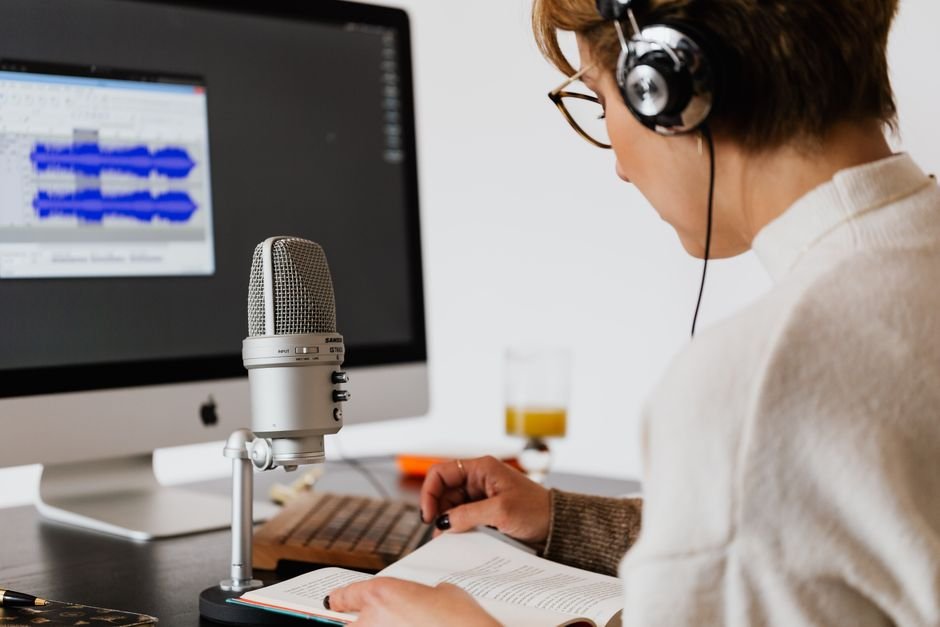
- You can record clear audio (a $60 USB microphone like the Fifine K669B is enough to start)
- You have access to royalty-free or licensed footage (Pexels, Pixabay for free; Storyblocks or Envato Elements at $16–$33/month for broader libraries)
- You plan to upload at least twice a month—faceless channels need consistency because they lack the personality hook of on-camera creators
Pick Compilation or Automation Formats If…
You shouldn’t. Compilation channels (“top 10 fails,” aggregated TikToks, sports highlight reels without original commentary) and automated AI slideshow channels are the fastest to produce and the least likely to get monetized. YouTube tightened enforcement in 2026 after years of low-effort channels flooding the platform. Even channels that reach 1,000 subscribers often receive a rejection email citing “reused content” or “repetitious content,” with no clear path to appeal. If you’ve already built one of these channels, the fix is to pivot: add substantial voiceover commentary, create original visuals, or switch niches entirely before applying for monetization.
Where Every Faceless Channel Type Falls Short
Tutorial channels hit a ceiling fast in saturated topics. If you’re the 8,000th person explaining Excel pivot tables, you’ll struggle to rank in search. You need a sub-niche or a better hook.
Commentary channels require constant content pipelines. You’ll spend hours finding licensed footage or Fair Use clips that won’t trigger copyright claims. One strike can demonetize your entire channel.
Animation channels are expensive and slow. Even using template tools like Doodly or Vyond, a single 10-minute video can take 12–20 hours. Outsourcing to Fiverr or Upwork runs $100–$500 per video for decent quality.
Meditation and ambient channels struggle with click-through rates because the thumbnail can’t convey much. Watch time is long, but subscriber conversion is poor—viewers use the video once and leave.
Product review channels without the product feel hollow. If you’re reviewing a $400 gadget using only the manufacturer’s press photos, viewers notice. Credibility suffers.
YouTube’s Monetization Policy for Faceless Content: What Actually Matters
YouTube’s Partner Program policies don’t explicitly penalize faceless channels, but three rules disproportionately affect them:
Reused content: Defined as content where you “don’t add significant original commentary or educational value.” A gaming channel that uploads someone else’s Twitch stream with your logo in the corner gets rejected. A gaming channel where you provide strategy commentary over gameplay you recorded yourself gets approved. The line is original value, not original footage.
Repetitious content: Mass-produced videos with only minor differences. Think 50 meditation videos that are identical except for the background image. YouTube’s review team flags these as spam, even if each video technically has unique elements.
Advertiser-friendly content: Faceless channels in true crime, disaster compilations, or controversial topics get limited ads or full demonetization under YouTube’s advertiser-friendly guidelines. You’ll hit monetization thresholds but earn significantly less per thousand views because most advertisers exclude your content category.
The approval process takes 1–4 weeks after you apply. If rejected, YouTube sends a vague email. You can reapply after 30 days, but you need to change the content—uploading two more videos in the same rejected style won’t work.
Realistic Timelines by Niche
Personal finance faceless channels (budget breakdowns, investing concepts): 8–12 months to monetization with weekly uploads. Financial advertisers pay well, but the niche is crowded.
Software tutorials (Photoshop, Excel, Notion): 6–10 months if you target specific pain points (“how to remove backgrounds in Photoshop 2026”). Steady search traffic.
True crime or mystery storytelling: 12–18 months. Slower growth because the audience is picky about narration quality, but loyal once you build it. Ad revenue varies depending on how advertiser-friendly your language is.
AI tool tutorials: 6–9 months in 2026 because demand is high and competition is still catching up.
Compilation or ambient content: Monetization is unlikely regardless of timeline. Some channels reach 10,000 subscribers and still get rejected.
Step-by-Step Setup
1. Create the channel: Use a Google account. Go to YouTube, click your profile icon, select “Create a channel.” Choose a name that signals your niche (“Budget Blueprint,” “Photoshop Fast Track”) rather than something generic. You can’t easily change it later without losing recognition.
2. Brand it minimally: Upload a simple logo (Canva’s free tier works; 800×800px PNG). Add a banner image (2560×1440px) with your upload schedule or value proposition (“New Excel tutorial every Tuesday”). Write a channel description with your niche keywords in the first sentence—YouTube uses this for search.
3. Record your first video: Use OBS Studio (free) for screen recording, Audacity (free) for audio editing, DaVinci Resolve (free) for video editing. A $60 USB mic and your existing computer are enough. Your first video will feel rough—publish it anyway. You learn more from uploading 10 mediocre videos than perfecting one.
4. Write keyword-focused titles and descriptions: Your title should match what someone types in search (“How to Create a Pivot Table in Excel 2026”). Your description should expand on that in the first two sentences, then include timestamps if your video has sections. Add 5–8 relevant tags.
5. Design clickable thumbnails: Use high-contrast colors, large text (6 words maximum), and a clear focal point. Faceless channels rely more on thumbnail clarity because you can’t use an expressive face to convey emotion. Test your thumbnail at 320×180px—if the text is unreadable, it’s too small.
6. Upload consistently: Pick a schedule you can sustain for 12 months. One video per week is ideal; one every two weeks is the minimum to maintain momentum. Sporadic uploading kills faceless channels because the algorithm doesn’t push your content without a track record.
7. Check YouTube Studio analytics: After 10 videos, review your traffic sources in the “Reach” tab. If “YouTube search” represents a small fraction of your views, your titles and keywords may not match what viewers are searching for. If average view duration is low, your intros may be too slow or your content may not match the title’s promise.
What Changed Recently and What to Watch
YouTube updated its spam policy in 2026 to explicitly name “mass-produced or auto-generated content” as violating guidelines, which affected many AI slideshow channels. Channels that had been monetized for years received termination notices. The policy now states that content “created purely to drive traffic from YouTube search without adding value” is spam, regardless of view counts.
In 2026, YouTube clarified that Shorts views don’t count toward the Partner Program threshold of 4,000 valid public watch hours—only long-form content qualifies. This hurt faceless channels that relied on short compilations to pad their watch hours.
Watch for YouTube’s rumored “original content verification” tool in late 2026 or 2027. Industry reports suggest YouTube is building AI detection to flag channels that use entirely AI-generated scripts, voices, and visuals without human editing. If implemented, this could require creators to certify that a human wrote or substantially edited the content.
Frequently Asked Questions
What equipment do you need to start a faceless YouTube channel?
A computer, a USB microphone ($50–$100), and free software (OBS Studio for recording, DaVinci Resolve for editing). If you’re doing screen tutorials, that’s all you need. For commentary channels, add a Storyblocks subscription ($16/month) for stock footage or use Pexels and Pixabay for free clips. You don’t need a camera, lighting, or a high-end rig—audio quality matters far more than video resolution for faceless content.
How long does it take to monetize a faceless YouTube channel?
Timeline varies widely by format and niche. Tutorial and commentary channels in clear niches may reach 1,000 subscribers and 4,000 watch hours in 8–12 months with consistent uploads (at least twice a month). Compilation or ambient channels rarely get approved even after reaching the thresholds, because YouTube’s review team rejects them as reused or repetitious content. After applying, approval takes 1–4 weeks if your content qualifies.
What are the best niches for faceless YouTube channels?
Software tutorials (Excel, Photoshop, Notion), personal finance breakdowns (budgeting, side hustles), AI tool how-tos, true crime storytelling, and productivity systems perform well. Choose a niche where you can add specific expertise or a unique angle—”budgeting for freelancers” beats “budgeting tips.” Avoid oversaturated topics (meditation, generic motivation) and niches that require on-camera credibility (fitness coaching, fashion).
Do faceless YouTube channels get fewer views than regular channels?
Not inherently, but they grow slower in the first 90 days because they lack the personality hook that builds early subscribers. Established faceless channels (10,000+ subscribers) perform identically to face channels in search and suggested traffic—viewers care about the answer, not the presenter. However, faceless channels face thumbnail disadvantages because they can’t use expressive faces to convey emotion, which can affect click-through rates.
Can you use AI voices on monetized faceless YouTube channels?
Yes, but it’s risky. YouTube’s policies don’t ban AI voices, and some monetized channels use ElevenLabs or Murf successfully. However, if your entire video is AI-generated (script, voice, visuals), YouTube’s spam reviewers often reject it as mass-produced content. The safer approach: write your own script, use an AI voice for narration, and add original editing or commentary. Fully human voiceover remains the lowest-risk choice for monetization approval.
Photo by https://kaboompics.com/ on Pexels