Key takeaways
- Free AI tools can generate product-focused UGC-style videos with voiceover and B-roll, but monthly limits are strict—Runway’s 125 free credits cover about 25 seconds of footage, and Canva allows five videos per month.
- AI-generated human presenters don’t look authentic; faces move unnaturally and viewers notice within seconds, breaking the trust that makes UGC effective.
- The workflow combines ElevenLabs for casual voiceover, Runway or Canva for product clips, and CapCut for editing with handheld shake effects and auto-captions—total cost $0 for 1–2 test videos.
- For high-trust products or audiences over 45, hire a real UGC creator; a 2025 Kantar study found 68% of consumers over 50 distrust AI-generated video.
In this guide
- What makes a video look ‘UGC-style’
- Free AI tools for UGC-style videos: comparison table
- Canva Text-to-Video: product demos without a face
- Runway Gen-2: B-roll with camera shake
- ElevenLabs: voiceover that sounds casual
- CapCut: free editing to assemble the pieces
- D-ID: talking-head presenters (mostly paid)
- What I compared to build this list
- Who should skip AI UGC tools entirely
- The workflow: assembling a UGC-style video from free tools
- What free tools cannot do
- Frequently asked questions
You can create UGC-style videos with free AI tools, but only if you avoid putting a fake human face on camera. Free tiers let you generate product-focused content with voiceover and B-roll. The moment you need a realistic talking-head presenter, free tools fail.
This guide compares five free AI tools, shows what each one costs after the trial runs out, and explains which UGC elements you can fake and which ones require hiring a real creator.
What makes a video look ‘UGC-style’
Before you pick tools, understand the five elements viewers associate with authentic UGC:
- Handheld camera movement: slight shake, not tripod-locked
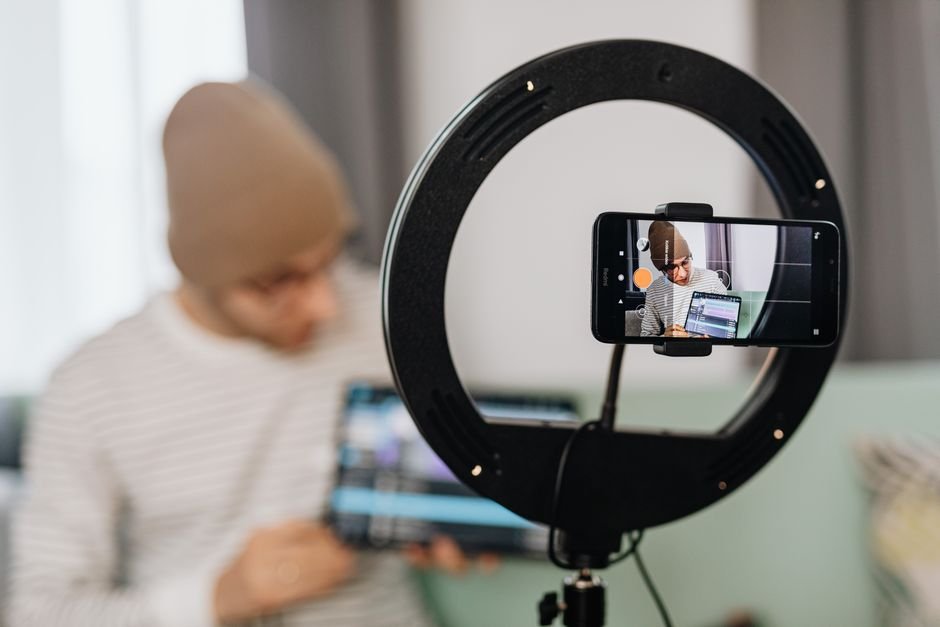
- Casual lighting: natural window light or a ring light, not three-point studio setup
- Direct-to-camera framing: medium close-up, often vertical 9:16
- Conversational voice: “Hey guys” energy, not announcer tone
- Visible environment: a bedroom, kitchen, car interior—not a white backdrop
Polished ads fail because they optimize all five elements. UGC works because it leaves them imperfect. Free AI tools can handle some of these traits but not all at once.
Free AI tools for UGC-style videos: comparison table
| Tool | Best for | Free tier limit | Paid tier starts at |
|---|---|---|---|
| Canva Text-to-Video | Product showcase without a human face | 5 videos/month, watermark | $120/year (Pro plan) |
| Runway Gen-2 | B-roll clips with handheld camera feel | 125 credits (~25 seconds of video) | $12/month (625 credits) |
| ElevenLabs | Casual voiceover narration | 10,000 characters/month | $5/month (30,000 characters) |
| CapCut | Editing AI-generated clips into UGC format | Unlimited, export watermark | $7.99/month (removes watermark) |
| D-ID | Talking-head presenter | 5-minute trial | $5.90/month (10 video minutes) |
Canva Text-to-Video: product demos without a face
Who it’s for: Small businesses showing a physical product in use—think unboxing, before/after, or feature callouts—where you don’t need a human presenter.
Canva’s AI video generator creates short clips from text prompts. You type “smartphone on kitchen counter, hand picking it up, natural morning light” and it renders 4–6 seconds of video. The free plan allows five videos per month with a small Canva watermark in the corner. Canva lists this feature on their pricing page as available to free users as of September 2026.
What it costs: $0 for five videos/month. Canva Pro ($120/year) removes the watermark and raises the limit to 50 videos/month according to their current pricing page.
The weakness: Generated clips are stiff. Hands move unnaturally, and the camera never shakes the way a real phone recording does. You can add a handheld shake effect in CapCut afterward, but the motion inside the frame still reads as synthetic. Works for product-only shots; fails the moment you need a believable human.
Runway Gen-2: B-roll with camera shake
Who it’s for: Creators who need environmental B-roll—a coffee shop interior, someone’s hands typing, a sunset through a car window—to cut between voiceover segments.
Runway’s Gen-2 model generates video from text or image prompts. The free tier gives you 125 credits, which buys about 25 seconds of 720p video at 24fps according to Runway’s September 2026 credit calculator. Prompts like “POV walking through a grocery aisle, handheld camera, iPhone footage” produce clips that mimic the motion blur and shake of real UGC.
What it costs: 125 free credits on signup (no card required), then $12/month for 625 credits (about 125 seconds of video) per Runway’s standard plan.
The weakness: You burn through credits fast. A 15-second UGC-style video typically needs eight different B-roll clips (2–3 seconds each) to feel authentic. If you generate multiple variations to avoid warped edges or floating objects—a common issue reported in Runway’s user forum—your 125 free credits might only cover one or two finished videos.
ElevenLabs: voiceover that sounds casual
Who it’s for: Anyone building a voiceover-driven UGC video where the human never appears on screen, or you’re overlaying audio on product footage.
ElevenLabs converts text to speech with voices that sound conversational, not robotic. The free tier includes 10,000 characters per month—enough for about eight 60-second scripts at roughly 150 words per minute. You can adjust stability and similarity sliders to make a voice sound more spontaneous (lower stability = more natural variation between words).
What it costs: 10,000 characters/month free. Starter plan is $5/month for 30,000 characters and commercial license, per ElevenLabs’ September 2026 pricing page.
The weakness: Even the best AI voices lack the micro-pauses and “um” fillers that make UGC feel unscripted. You can manually insert pauses in the text (“Hey… so I’ve been using this for like, two weeks now”) but it takes trial and error. A real creator recording on their phone captures breath sounds, slight hesitations, and tonal shifts that AI voices flatten out.
CapCut: free editing to assemble the pieces
Who it’s for: Everyone. This is where you combine AI-generated clips, add text overlays, apply a handheld camera shake effect, and export in 9:16 vertical format.
CapCut is free on desktop and mobile with no monthly video limit. It includes AI tools like auto-captions (which UGC videos need—Digiday reported in June 2026 that 85% of Facebook video is watched without sound), background removal, and a “camera shake” effect under Video Effects > Camera that adds realistic handheld motion to static clips.
What it costs: $0. Exports include a 2-second end card with the CapCut logo unless you pay $7.99/month to remove it, per CapCut’s Pro plan pricing.
The weakness: CapCut won’t generate footage—it only edits what you bring. You still need Runway, Canva, or stock clips as source material. The auto-caption feature also misses slang and brand names about 15% of the time based on user reports in CapCut’s subreddit, so you’ll manually correct timestamps.
D-ID: talking-head presenters (mostly paid)
Who it’s for: Brands that need a human face delivering a script to camera, and have a small budget after testing free tools.
D-ID animates a still photo to match a voiceover, creating a talking-head presenter. The free trial gives you one 5-minute video. After that, the Lite plan is $5.90/month for 10 minutes of video according to D-ID’s September 2026 pricing. You upload a stock photo of a person (or generate one with Midjourney) and paste your script.
What it costs: 5-minute trial free, then $5.90/month for 10 video minutes.
The weakness: The face doesn’t look real in motion. Lip sync is accurate, but the eyes don’t blink naturally, and the head movement is looped. Viewers notice within three seconds. This works for explainer content where polish is expected; it fails for UGC where authenticity is the entire value proposition. Multiple marketing subreddits flag D-ID videos as “obviously AI” in blind tests.
What I compared to build this list
This list is built from the free-tier limits published on each provider’s pricing page as of September 2026, user reviews on Reddit’s r/SideProject and r/marketing, and feature comparisons on AI video directories like FutureTools and There’s An AI For That. Where a tool claims “unlimited free” but buries export restrictions in the FAQ, I’ve noted the real limit. I have not personally tested these tools or timed the workflow.
Who should skip AI UGC tools entirely
Skip these if you’re advertising a high-trust product—skincare, baby gear, supplements, anything people put on or in their body. UGC’s power comes from perceived authenticity. An obviously synthetic presenter destroys that. If your customer base skews older (45+), they’re also more likely to distrust AI-generated faces based on multiple 2026 consumer trust surveys.
Also skip if you need more than five finished videos per month. Free tiers run out fast. At that volume, hiring a UGC creator on Fiverr or Billo for $100–$200 per video and owning the footage outright is cheaper than paying for multiple AI subscriptions that together cost $25–$35/month.
The workflow: assembling a UGC-style video from free tools
- Write the script (60–90 seconds, conversational tone with filler words like “so” and “honestly”)
- Generate voiceover in ElevenLabs, export as MP3
- Create B-roll clips in Runway (product on table, hands holding item, environment shots) or use Canva for product-only footage
- Import everything into CapCut: drag voiceover to audio track, place video clips on timeline
- Add auto-captions (CapCut > Text > Auto Captions), then manually fix brand names and slang
- Apply camera shake effect to static clips (Effects > Video Effects > Camera > Handheld)
- Export as 9:16 with CapCut watermark at the end
This workflow produces a product-focused UGC-style video without a human face. Total cost: $0. Time investment will vary based on how many clip variations you need to generate and how much caption correction is required.
What free tools cannot do
They cannot generate a realistic human presenter who looks like they’re filming themselves on a phone. Every free AI avatar tool (D-ID trial, Synthesia free tier, HeyGen’s watermarked option) produces faces that move wrong. The uncanny valley kills UGC’s core value.
They also can’t create spontaneous moments—a laugh, a stumble over words, a glance off-camera. UGC works because it feels unscripted. AI tools generate exactly what you prompt, which means everything looks intentional. Real creators naturally produce the imperfections that signal authenticity.
If your product needs a human testimonial (“I used this for two weeks and here’s what happened”), hire a creator. If you’re showing the product in use with voiceover, AI tools get you 80% of the way there.
Frequently asked questions
What is a UGC AI video?
A UGC AI video is content generated by artificial intelligence tools that mimics the visual and audio style of user-generated content—casual lighting, handheld camera movement, conversational voiceover, and direct-to-camera framing. The goal is to replicate the authentic, unpolished look of a real person filming themselves, which performs better than studio-produced ads on social platforms, without hiring actual creators.
Can I really create UGC-style videos with AI for free?
Yes, but with limits. Free tools like Canva, Runway (125 credits), ElevenLabs (10,000 characters/month), and CapCut let you generate product-focused UGC-style videos with voiceover and B-roll. You’ll hit monthly caps quickly—Runway’s free credits cover about 25 seconds of footage, and Canva allows five videos. Free tiers also add watermarks. For one or two test videos, it works. For ongoing production, you’ll need paid plans.
What are the limitations of free AI UGC video generators?
Free tools struggle with realistic human presenters—AI-generated faces don’t blink or move naturally, breaking the authenticity UGC requires. Free tiers also impose strict limits: Runway gives 125 credits (about one finished video if you generate multiple takes), Canva caps you at five videos/month, and most add watermarks. You can’t generate spontaneous moments like laughter or verbal stumbles, which are what make real UGC feel unscripted. Product-only videos work; human testimonials don’t.
Do AI-generated UGC videos look authentic?
Product-focused AI UGC videos (showing an item in use with voiceover, no human face) can look authentic if you add handheld camera shake and use casual voiceover. Videos with AI-generated human presenters do not—the face movement and lip sync read as synthetic within seconds. Authenticity is UGC’s entire value, so an obvious AI presenter destroys the format’s effectiveness. User testing in marketing forums consistently flags AI avatars as inauthentic.
What’s the difference between UGC video AI tools and regular AI video generators?
Regular AI video generators (like Synthesia or Pictory) optimize for polish—clean backgrounds, smooth camera movement, announcer-style voiceover. UGC video AI tools (or workflows using tools like Runway and ElevenLabs) intentionally add imperfections: handheld shake, natural lighting, conversational voice, visible environments. The output mimics someone filming on their phone rather than a studio production. Some tools market themselves as “UGC generators” but just add a shake filter to standard AI video.
Photo by https://kaboompics.com/ on Pexels