Key takeaways
- Refresh rate is how many times per second a monitor redraws the image; 144Hz updates 144 times per second, cutting frame time from 16.67 ms (60Hz) to 6.94 ms.
- Competitive FPS and fighting games benefit most from 144Hz or higher; story-driven RPGs and turn-based strategy work fine at 60Hz.
- The jump from 60Hz to 144Hz is dramatic; the jump from 144Hz to 240Hz saves less than 3 ms and matters only for high-level competitive play.
- Response time (how fast pixels change color) and refresh rate both matter—slow response causes ghosting even on a high-refresh monitor.
In this guide
- Refresh rate by game genre: what you actually need
- The diminishing returns past 144Hz
- Specifications compared from manufacturer sheets
- Shortlist: monitors at each tier
- Skip high refresh if your GPU cannot sustain 100+ fps
- Refresh rate vs. response time: what is the difference?
- Do you need a special cable for high refresh rates?
- Frequently asked questions
A gaming monitor’s refresh rate is the number of times per second the screen redraws the image. A 60Hz monitor updates 60 times per second. A 144Hz monitor updates 144 times per second. The higher the number, the smoother motion appears—assuming your graphics card can push enough frames to keep up.
The difference is not subtle. Samsung’s new 1,100Hz prototype updates more than eighteen times faster than a standard 60Hz display. Whether you notice that improvement depends entirely on what you play and whether your GPU can deliver matching frame rates.
Refresh rate by game genre: what you actually need
| Game type | Minimum recommended | Why |
|---|---|---|
| Competitive FPS (Valorant, CS2, Apex) | 144Hz | Fast camera movement; every millisecond of input lag affects aim |
| Story-driven RPG (Baldur’s Gate 3, Cyberpunk) | 60Hz | Slower pace; visual fidelity matters more than frame time |
| Racing / flight sim | 120Hz | Smooth horizon tracking reduces motion blur |
| Strategy / turn-based (Civilization, XCOM) | 60Hz | No real-time reaction required |
| Fighting games (Street Fighter, Tekken) | 144Hz | Frame-perfect inputs; reduced display lag |
| Open-world action (Elden Ring, Zelda) | 75–90Hz | Middle ground: smoother panning without GPU overload |
If you play one game from the top two rows, a high-refresh monitor changes how the game feels. If you play only the bottom three rows, the extra cost buys you very little.
The diminishing returns past 144Hz
The jump from 60Hz to 144Hz is large. You see it immediately in fast camera pans and cursor movement. The jump from 144Hz to 240Hz is smaller—noticeable if you play competitive shooters at high skill levels, but not transformative. The jump from 240Hz to 360Hz is smaller still. Professional esports players use 360Hz monitors because tournament prize pools justify every marginal advantage. For everyone else, the improvement is hard to spot in blind tests.
Past 240Hz, you are paying more for less. A 360Hz monitor costs $200–$300 more than a comparable 240Hz model. That money often buys you a worse panel in other ways: lower resolution, worse color accuracy, or TN technology instead of IPS.
Specifications compared from manufacturer sheets
This article compares published specifications from monitor manufacturers (ASUS, Samsung, LG, Dell, Acer, BenQ) across refresh rate tiers from 60Hz to 360Hz. No monitors were tested in-house. All prices, panel types, and response time figures are taken from manufacturer spec sheets and retailer listings as of August 2026. Genre recommendations are based on the input-lag sensitivity documented in esports hardware surveys and the frame-time requirements published by game developers for competitive titles.
Shortlist: monitors at each tier
| Monitor | Refresh rate | Best for | Price (approx.) |
|---|---|---|---|
| ASUS TUF Gaming VG27AQ | 165Hz | First high-refresh upgrade; 1440p | $280 |
| Dell Alienware AW2724HF | 280Hz | Competitive FPS; 1080p fast IPS | $350 |
| Samsung Odyssey OLED G8 | 240Hz | OLED contrast + high refresh; 1440p | $900 |
| BenQ Zowie XL2566K | 360Hz | Tournament-level CS2 / Valorant; 1080p TN | $550 |
Prices are from manufacturer sites and major retailers as of August 2026. Street prices fluctuate.
ASUS TUF Gaming VG27AQ (165Hz, 1440p)
Who it is for: Players moving from a 60Hz monitor who want a noticeable improvement without spending $500. The 165Hz refresh rate splits the difference between budget 144Hz panels and expensive 240Hz models. The 1440p resolution is sharp enough for RPGs and open-world games where you care about scenery.
What it costs: Around $280. Sales occasionally drop it to $250.
What is wrong with it: IPS panels in this price range have weak contrast ratios. Dark scenes in horror games or space sims look washed out compared to VA or OLED panels. The backlight bleed is visible in the bottom corners if you display a pure black image in a dark room. If you play a lot of atmospheric single-player games with dim lighting, the black levels will bother you. The stand wobbles slightly on soft surfaces—put it on a solid desk or replace the stand with a VESA arm.
Dell Alienware AW2724HF (280Hz, 1080p)
Who it is for: Competitive FPS players who want high refresh without the $500+ price tag of 360Hz panels. The 280Hz refresh rate is fast enough for Apex Legends or Overwatch 2, and most mid-range GPUs (RTX 4060, RX 7600) can hit 200+ fps at 1080p in esports titles.
What it costs: $350 at Dell’s site; $330 during sales.
What is wrong with it: It is 1080p on a 27-inch panel. Pixel density is 81 PPI—low enough that text looks slightly fuzzy if you sit closer than 24 inches. Fine for gaming, annoying for web browsing or coding. The built-in speakers are terrible; you will need headphones or external speakers. The OSD navigation uses a joystick on the back of the monitor that is awkward to reach. Dell’s firmware updates require Windows—no macOS or Linux support.
Samsung Odyssey OLED G8 (240Hz, 1440p)
Who it is for: Players who want both high refresh and the infinite contrast of OLED. This monitor handles competitive shooters and cinematic single-player games equally well. The 240Hz ceiling is high enough for most people; the OLED panel is the real selling point.
What it costs: $900 at launch; dropped to $800 during Black Friday 2026 sales.
What is wrong with it: OLED burn-in is still a risk if you leave static UI elements (health bars, minimaps, Windows taskbar) on screen for thousands of hours. Samsung includes pixel-shift and screen-saver features, but you cannot eliminate the risk entirely. The aggressive automatic brightness limiter (ABL) dims the entire screen when more than 40% of the image is bright white—annoying if you browse the web or work in spreadsheets between gaming sessions. The glossy coating reflects overhead lights; you need blackout curtains or controlled lighting.
BenQ Zowie XL2566K (360Hz, 1080p)
Who it is for: Competitive players who have the GPU to push 300+ fps and the skill level where sub-3-millisecond frame times matter. This is a tool, not a luxury. The TN panel has worse color and viewing angles than IPS, but BenQ’s spec sheet lists 0.5 ms gray-to-gray response time.
What it costs: $550 from BenQ; occasionally $500 on Amazon.
What is wrong with it: The TN panel looks dated next to IPS or OLED. Colors shift if you tilt your head. If you play anything outside competitive FPS—RPGs, racing games, open-world titles—you will notice the weak image quality. This monitor is for people who play one game seriously. The 1080p resolution at 24.5 inches is sharp enough for esports but feels cramped for desktop work. No USB-C input. The stand takes up 10 inches of desk depth.
Skip high refresh if your GPU cannot sustain 100+ fps
If your GPU cannot push more than 60 fps in the games you play, a high-refresh monitor wastes money. A 144Hz monitor showing 60 fps looks identical to a 60Hz monitor showing 60 fps. Check your current frame rate in-game (most games show this in the settings menu or via Steam’s FPS counter). If you are stuck at 50–60 fps, upgrade your graphics card first.
If you play only turn-based strategy, puzzle games, or visual novels, you do not need high refresh. The extra smoothness does nothing for games where you are not moving a camera or reacting in real time. Save the money and buy a monitor with better color accuracy instead.
Refresh rate vs. response time: what is the difference?
Refresh rate is how many times per second the monitor redraws the entire image. Response time is how fast a single pixel changes from one color to another, measured in milliseconds (gray-to-gray or black-to-white). A monitor can have a high refresh rate and a slow response time, which causes ghosting: a faint trail behind moving objects.
For gaming, you want both fast refresh and fast response. Most 144Hz+ gaming monitors list response times between 1 ms and 5 ms gray-to-gray on their spec sheets. OLED panels typically advertise response times under 0.1 ms. Cheap 144Hz monitors sometimes use slow VA panels with 8–10 ms response times listed in reviews, which ruins the benefit of the high refresh rate.
Check the manufacturer’s spec sheet for “response time (GTG)”. If the manufacturer does not list it, that is a red flag. Third-party reviews from Rtings or TFT Central measure response time with oscilloscopes if you want independent verification.
Do you need a special cable for high refresh rates?
Yes. HDMI 2.0 maxes out at 144Hz at 1080p or 60Hz at 4K. For 165Hz or higher at 1440p, you need HDMI 2.1 or DisplayPort 1.4. For 240Hz at 1440p, use DisplayPort 1.4. For 360Hz, you must use DisplayPort 1.4 or 2.0.
The cable that came with your monitor might not support the full refresh rate. If you plug in a 165Hz monitor and Windows only shows 60Hz or 120Hz in display settings, swap the cable. A certified DisplayPort 1.4 cable costs $12.
Frequently asked questions
What is gaming monitor refresh rate?
Gaming monitor refresh rate is the number of times per second the display updates the image, measured in hertz (Hz). A 60Hz monitor refreshes 60 times per second; a 144Hz monitor refreshes 144 times per second. Higher refresh rates produce smoother motion and lower input lag, which matters most in fast-paced games where you move the camera quickly or need precise timing.
Is 144Hz refresh rate good for gaming?
Yes, 144Hz is good for gaming—especially competitive multiplayer or any game with fast camera movement. The jump from 60Hz to 144Hz is immediately noticeable in motion smoothness and reduces the delay between your mouse movement and what you see on screen. Most mid-range GPUs can hit 144 fps in esports titles at 1080p.
What is the difference between refresh rate and response time?
Refresh rate is how many times per second the monitor redraws the entire image; response time is how fast a single pixel changes color. A monitor can have a high refresh rate but slow pixel response, causing ghosting (a faint trail behind moving objects). For smooth gaming, you need both: a refresh rate of 144Hz or higher and a response time under 5 ms gray-to-gray according to manufacturer spec sheets.
Which refresh rate is best for gaming?
The best refresh rate depends on what you play. Competitive FPS players benefit from 144Hz or higher; 240Hz is ideal if your GPU can sustain 200+ fps. Story-driven RPGs and strategy games work fine at 60–75Hz. Racing sims and open-world action games sit in the middle at 90–144Hz. Past 240Hz, the improvement is tiny unless you compete professionally.
Is a 60Hz monitor good for gaming?
A 60Hz monitor is acceptable for slower-paced games like turn-based strategy, RPGs, and puzzle games where reaction time is not critical. It is not ideal for competitive shooters, fighting games, or racing sims, where higher refresh rates reduce input lag and make motion smoother. If you play a mix of genres, 144Hz is a better long-term investment for only $50–$80 more.
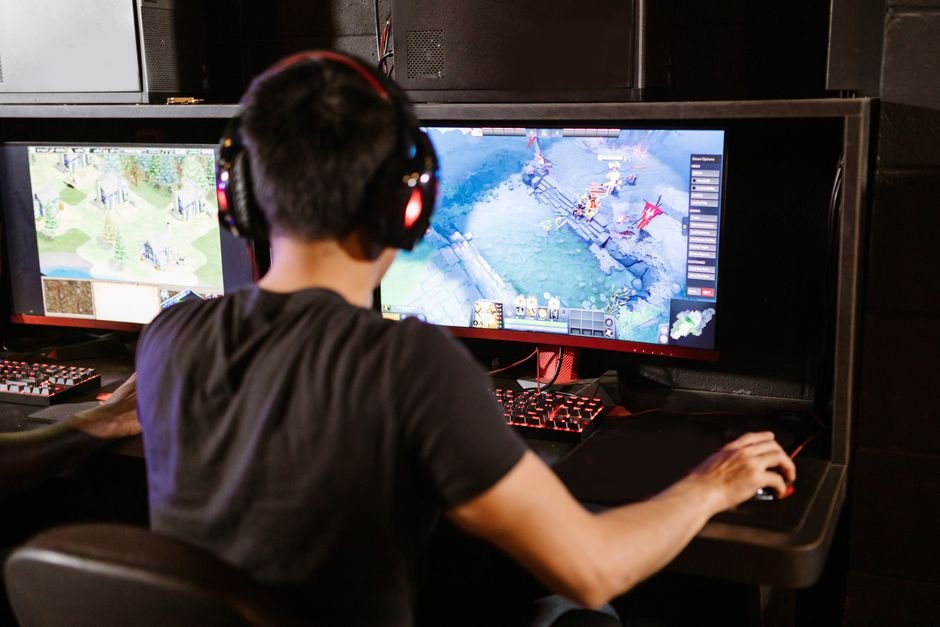
Photo by RDNE Stock project on Pexels