Key takeaways
- Side-mounted sensors unlock in 0.2–0.3 seconds and work with any screen protector thickness, making them the most versatile choice for daily convenience.
- Under-screen optical sensors require thin film protectors and fail with most tempered glass, limiting your protection options to scratches-prone materials under $15.
- Back sensors are fastest when holding the phone but completely unusable when it sits flat on a desk or in a car mount, adding 3+ seconds to every unlock.
- Budget phones under $300 have largely abandoned back sensors in favor of side placement as of 2026, making back sensors a feature of sub-$200 devices only.
- Samsung’s ultrasonic under-screen sensors work with 0.33mm tempered glass, solving the screen protector problem that plagues optical sensors on most flagships.
In this guide
- Side-mounted vs under-screen vs back: compatibility and placement
- Pick side-mounted if you use thick screen protectors or desk mounts
- Pick under-screen if you want an uninterrupted display and use thin protectors
- Pick back-mounted if you’re buying under $400 and hold your phone constantly
- Three scenarios where side-mounted sensors fail and two where under-screen sensors break
- Samsung moved to ultrasonic in 2026, Google kept side placement at flagship prices
- What a fingerprint sensor is and how capacitive vs optical types differ
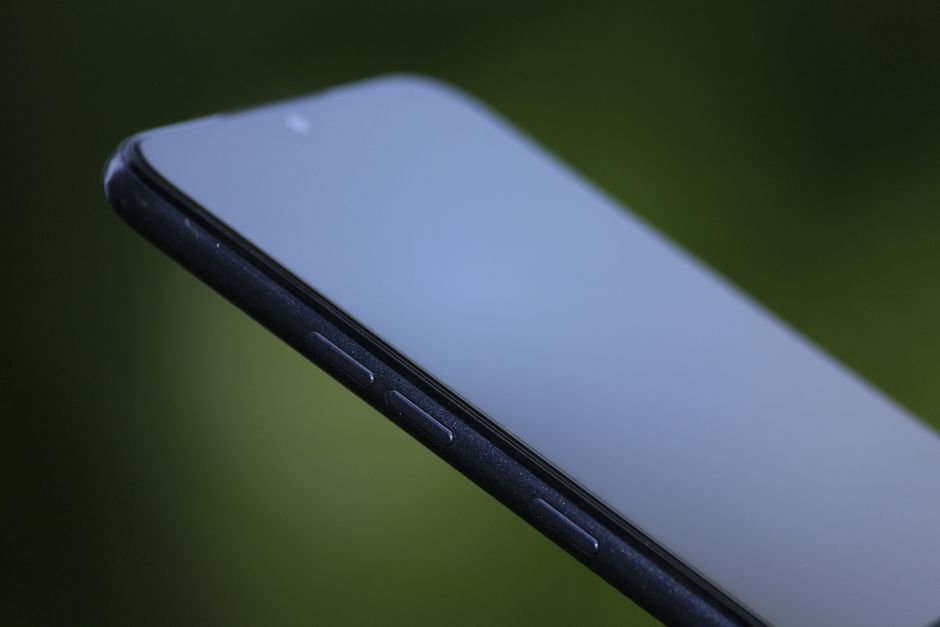
Side-mounted fingerprint sensors sit in the power button on the edge of your phone. They unlock while the device is in your pocket, work with any screen protector thickness, and let you authenticate without picking the phone up from a desk. If you use tempered glass protectors or unlock more than forty times a day, this placement removes the friction that under-screen sensors create.
Side-mounted vs under-screen vs back: compatibility and placement
| Feature | Side-mounted (capacitive) | Under-screen (optical) | Back-mounted (capacitive) |
|---|---|---|---|
| Screen protector compatibility | Any thickness, any material | Thin film only; most tempered glass fails | Not applicable |
| Works when phone is flat on desk | Yes | Yes | No—must pick up phone |
| Works in car mount | Yes | Depends on mount placement | No—sensor blocked by mount |
| Unlock from pocket (before removing phone) | Yes | No—screen must be visible | Yes |
| One-handed reachability (6.5″+ phones) | Easy—thumb rests naturally on side button | Requires thumb stretch to lower screen third | Easy—index finger position |
| Typical phone price tier | $300–$1,200 (mid-range to flagship) | $600–$1,400 (flagship only) | $150–$400 (budget to mid-range) |
| Registration accuracy in direct sunlight | Unaffected | Reduced—optical sensor struggles with glare | Unaffected |
Pick side-mounted if you use thick screen protectors or desk mounts
Choose a side-mounted sensor if you use a tempered glass screen protector 0.33mm or thicker, keep your phone in a car dashboard mount, or frequently unlock without picking the device up. The sensor doubles as the power button on most models—Samsung Galaxy S24 series, Google Pixel 9 series, Sony Xperia 1 VI—so your thumb already rests on it when you pick up the phone. You can unlock while the phone is still in your jacket pocket, which matters when you’re pulling it out in cold weather.
Side sensors work identically whether your screen protector costs $8 or $40. Under-screen optical sensors fail with the majority of tempered glass protectors because the added thickness between the display and your finger blocks the light the sensor needs to capture an image. If you’ve bought a $35 tempered glass protector only to find the fingerprint sensor stops working, a side sensor eliminates that compatibility lottery entirely.
The placement suits phones 6.3 inches and larger because your thumb naturally lands on the mid-point of the right edge when holding the device. On smaller phones under 6 inches, the button sits too high for comfortable reach. Left-handed users can remap the sensor to a left-side volume button through accessibility settings on some Android models, though not all manufacturers enable this.
Pick under-screen if you want an uninterrupted display and use thin protectors
An under-screen optical sensor makes sense if you’re buying a flagship Android phone—Samsung Galaxy S24 Ultra, OnePlus 12, Xiaomi 14 Pro—and you’re willing to use a thin TPU film protector instead of tempered glass. The sensor sits in the lower third of the screen, typically 20–25mm from the bottom edge, which requires a thumb stretch on 6.7-inch phones but feels natural on 6.1–6.5-inch models.
These sensors require even pressure and struggle with moisture, lotion, or cooking oil residue that capacitive sensors handle without issue. You’ll register more failed attempts than with a capacitive sensor because optical readers need your thumb perfectly centered on the sensor icon. The sensor also produces a bright green LED flash with every unlock attempt, visible to everyone in a dark room or movie theater.
Under-screen sensors work when the phone is flat on a desk, which back sensors don’t. If you spend hours at a desk job and check notifications without picking up your phone, this placement beats a back sensor. It loses to a side sensor in that scenario because you still need to lift your hand over the phone rather than tapping a side button.
The aesthetic trade-off: no visible sensor break in the screen or frame. If you’re showing the phone to someone and they ask where the fingerprint reader is, that’s the point—it’s invisible until the screen lights up.
Pick back-mounted if you’re buying under $400 and hold your phone constantly
Back sensors appear on budget and lower mid-range phones—Motorola Moto G series, Samsung Galaxy A15, Google Pixel 6a and earlier Pixels. They sit exactly where your index finger lands when you pick up the phone with one hand. If you spend most of your phone time holding it rather than placing it on surfaces, a back sensor is faster by the time saved not aiming for a specific button or screen zone.
The placement fails completely when the phone is on a desk, nightstand, or car mount. You must pick it up to unlock, which adds friction to every interaction when you’re checking a notification during a meeting or verifying a two-factor code while typing on a laptop. Back sensors also force you to unlock before you can see the screen—you’re unlocking blind, which matters if you’re trying to keep the phone locked while handing it to someone to view a photo.
Most phones with back sensors place them 35–45mm from the top edge, which works for phones up to 6.4 inches but requires a hand shift on 6.5-inch and larger models. The Motorola Moto G Power (6.5 inches) puts the sensor 40mm down, reachable with an index finger if you hold the phone low in your palm—but that grip makes the top quarter of the screen unreachable without a second hand.
Three scenarios where side-mounted sensors fail and two where under-screen sensors break
Side-mounted sensors fail when you’re wearing thick winter gloves—the capacitive reader can’t detect your print through insulation, unlike Face ID which works with any glove. The button placement also means you’ll accidentally trigger the sensor when gripping the phone tightly during a game or workout, causing unwanted unlocks if you haven’t disabled tap-to-wake. Some phone cases with raised edges block access to the side button entirely, forcing you to cut a notch in the case or remove it to unlock.
Under-screen optical sensors produce a bright green LED flash with every unlock attempt, visible to everyone in a dark room or movie theater. The light also illuminates your face from below, which looks terrible on video calls if you unlock mid-meeting. These sensors fail when your hands are wet—the optical reader interprets water droplets as part of your fingerprint pattern and rejects the match. Samsung’s ultrasonic sensors (Galaxy S24 series) handle moisture better but still fail with thick protectors.
Back sensors become useless if you use a phone ring holder or PopSocket. The adhesive mount covers or sits adjacent to the sensor, forcing you to remove your finger from the ring to reach the reader. Wireless charging pads also block back sensors—you can’t unlock without picking up the phone, which defeats the point of checking notifications while charging overnight.
Samsung moved to ultrasonic in 2026, Google kept side placement at flagship prices
Samsung moved the Galaxy S24 series back to ultrasonic under-screen sensors, which handle wet fingers better than the optical readers in previous models. The S24 spec sheet lists compatibility with tempered glass protectors up to 0.33mm thick, a significant improvement over optical sensors that fail above 0.2mm. Google kept side-mounted sensors on the Pixel 9 series despite moving to a flagship price tier, making it the only $799+ phone with that placement in the US market. Apple still refuses to add any fingerprint sensor to iPhones, leaving Face ID as the only biometric option.
Budget phones under $300 dropped back sensors almost entirely in 2026. Motorola’s Moto G 2026 lineup moved to side-mounted sensors across all models, and Samsung’s Galaxy A16 (January 2026) did the same. Only phones under $200 still ship with back sensors as of September 2026, and that category is shrinking—carrier promotions put side-sensor phones at $150 with trade-ins.
Under-screen sensors are moving higher on the display. OnePlus 13 and Xiaomi 15 place the sensor 35–40mm from the bottom edge instead of 20–25mm, reducing thumb stretch on 6.7-inch phones. This placement will likely become standard by early 2027 as manufacturers respond to ergonomic complaints on Reddit and manufacturer forums.
What a fingerprint sensor is and how capacitive vs optical types differ
What is fingerprint sensor on phone?
A fingerprint sensor is a biometric reader that unlocks your phone by scanning the unique ridge patterns on your fingertip. It replaces PIN codes and passwords for faster access. Most Android phones include one; iPhones use Face ID instead. You register your fingerprint once in settings, then touch the sensor to unlock.
How does phone fingerprint sensor work?
Capacitive sensors (side and back placement) measure electrical current differences across your fingerprint ridges, storing an encrypted mathematical map of the pattern. Optical sensors (under-screen) shine LED light through the display, capture an image of your fingerprint, and compare it to the stored template. Ultrasonic sensors (Samsung flagships) use sound waves to map fingerprint depth, working through moisture and thin screen protectors better than optical types.
Which fingerprint sensor location unlocks fastest in daily use?
Side-mounted and back-mounted capacitive sensors unlock fastest in daily use because your thumb or index finger lands on them naturally when picking up the phone. Under-screen sensors require you to aim for a specific screen zone, adding a fraction of a second to each unlock. The difference compounds over dozens of unlocks per day—side sensors remove the aiming step entirely.
Can you use a fingerprint sensor with a screen protector?
Side-mounted and back-mounted sensors work with any screen protector thickness and material because they sit outside the display area. Under-screen optical sensors fail with most tempered glass protectors thicker than 0.2mm—you must use thin TPU film protectors, typically under $15, that the phone manufacturer lists as compatible. Samsung’s ultrasonic under-screen sensors (Galaxy S24 series) work with tempered glass up to 0.33mm thick according to Samsung’s compatibility documentation, a significant advantage over optical types.
Which phones have side-mounted fingerprint sensors in 2026?
Google Pixel 9, Pixel 9 Pro, and Pixel 9 Pro XL all use side-mounted sensors integrated into the power button. Samsung Galaxy S24, S24+, and S24 FE include side sensors, though the S24 Ultra uses under-screen. Sony Xperia 1 VI and Xperia 5 VI have side placement. Most mid-range phones from Motorola (Moto G 2026 series) and OnePlus (Nord series) now use side sensors as of 2026, replacing the back sensors common in earlier budget models.
Photo by Ornán Rodríguez Velázquez on Pexels