Key takeaways
- CogVideoX-5B is the most practical open source video model in 2026, requiring 24GB VRAM and generating six-second 720p clips in four to seven minutes
- All current open source models have hard limits: 15 seconds maximum length, 720p maximum resolution, weak text rendering, and inconsistent faces across frames
- Download models from Hugging Face under the text-to-video tag; GitHub repositories contain inference scripts but link to Hugging Face for weights
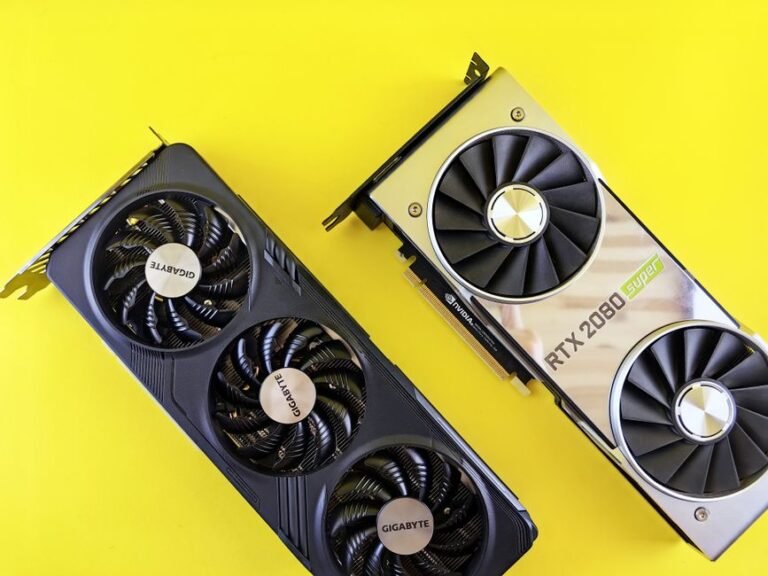
- Minimum viable hardware is 12GB VRAM for low-res models, but 24GB is the practical baseline for usable output; cloud GPU rental costs $0.40-$0.70 per hour
In this guide
- What breaks and how to fix it
- CogVideoX-5B: the practical baseline
- ModelScope Text-to-Video: the older fallback
- AnimateDiff: for extending Stable Diffusion workflows
- Open-Sora: the high-end option
- Finding new models: Hugging Face text-to-video tag and Papers With Code leaderboard
- Cloud GPU rental: RunPod, Vast.ai, and Colab pricing as of September 2026
- Diagnosing failures: official inference script, dependency versions, and verbose logging
- Opening GitHub issues: GPU model, exact command, torch version, nvidia-smi output
- Frequently asked questions
If you want a working open source video generation model right now, start with CogVideoX-5B. It runs on a single 24GB GPU, generates five-second clips at 720p, and has a Hugging Face model card you can pull in ten minutes. That combination of modest hardware, decent output, and simple setup makes it the practical choice for most people.
What breaks and how to fix it
| Symptom | Cause | Fix |
|---|---|---|
| Model downloads but crashes on load | Insufficient GPU VRAM | Check model size against your GPU: 5B models need 24GB, 2B models fit on 16GB |
| Generation takes over an hour per clip | Running on CPU instead of GPU | Install CUDA toolkit and verify torch.cuda.is_available() returns True |
| Output is garbled or static | Wrong diffusers library version | Uninstall diffusers, reinstall the version listed in the model’s requirements.txt |
| Can’t find model files after download | Hugging Face cache location unclear | Files land in ~/.cache/huggingface/hub/ on Linux/Mac, C:\Users\[name]\.cache on Windows |
| Video has watermark or quality degradation | Using a quantized or distilled variant | Download the full-precision model; file size should match the card’s listed parameters |
CogVideoX-5B: the practical baseline
CogVideoX-5B sits at the intersection of usable hardware and acceptable output. The model generates 49 frames at 8 frames per second, which gives you just over six seconds of video at 720×480 resolution. That is enough to prototype an animation, test a concept, or generate B-roll.
Where to get it: Hugging Face model card is at THUDM/CogVideoX-5b. The GitHub repository at THUDM/CogVideoX contains inference scripts and a Gradio demo. Total download is 20GB.
Hardware floor: You need 24GB of GPU VRAM for the full model. An NVIDIA RTX 4090 or A5000 works. The repository includes a 2B parameter variant (CogVideoX-2b) that fits on 16GB cards but produces noticeably softer output.
What it does badly: Text rendering in the generated video is illegible. Fast motion blurs. Faces are inconsistent across frames. You cannot extend a clip beyond the six-second window without visible seams.
ModelScope Text-to-Video: the older fallback
ModelScope was the first widely-adopted open source video model, and it still works if you have limited hardware. It generates two-second clips at 256×256 resolution, which is too small for most real use but sufficient for testing pipelines or learning the workflow.
Where to get it: Hugging Face model card is at damo-vilab/text-to-video-ms-1.7b. The model is 6.7GB.
Hardware floor: Runs on 12GB VRAM. An RTX 3060 or older cards work.
What it does badly: The resolution makes it unusable for anything you would show an audience. Motion is jittery. The model was trained on a narrow dataset, so prompts outside “person walking”, “car driving”, “waves on a beach” produce incoherent results.
AnimateDiff: for extending Stable Diffusion workflows
AnimateDiff is not a standalone model; it is a motion module that plugs into Stable Diffusion 1.5 checkpoints. If you already generate images with SD and want to animate them, this is the path. If you are starting from scratch, the setup cost is higher than CogVideoX.
Where to get it: GitHub repository at guoyww/AnimateDiff. Motion modules live on Hugging Face under guoyww/animatediff. You also need a Stable Diffusion 1.5 checkpoint and the ComfyUI or A1111 web interface.
Hardware floor: 16GB VRAM for 16-frame clips at 512×512. The model produces loops, not linear narratives, with each frame taking 10 to 15 seconds to render on an RTX 3090 according to the repository’s benchmarks.
What it does badly: You are animating a still image, so complex motion (a person turning around, a camera pan) breaks the illusion. The model produces loops, not linear narratives. Setup requires familiarity with Stable Diffusion tooling, which is a steeper learning curve than a single Hugging Face download.
Open-Sora: the high-end option
Open-Sora is an attempt to replicate OpenAI’s Sora architecture in open source. It generates longer clips—up to 15 seconds—at higher resolution, but the hardware requirement and generation time put it out of reach for most hobbyists.
Where to get it: GitHub repository at hpcaitech/Open-Sora. Model weights are hosted on Hugging Face under hpcaitech/OpenSora-STDiT-v3. The full model is 47GB.
Hardware floor: 40GB VRAM minimum. An NVIDIA A100 or dual RTX 3090s in NVLink.
What it does badly: Even with top-end hardware, you will wait. The model is under active development, so API stability is not guaranteed between releases. Documentation assumes familiarity with distributed training and multi-GPU setups.
Finding new models: Hugging Face text-to-video tag and Papers With Code leaderboard
The Hugging Face text-to-video tag is the most reliable aggregator. Sort by “Most likes” or “Trending” to see what the community is actually using. As of September 2026, the tag contains 347 models. Papers With Code maintains a Text-to-Video Generation leaderboard that lists 23 benchmarked models, but it lags real-world adoption by a few months.
GitHub topics to watch: text-to-video, video-generation, diffusion-models. Stars are a noisy signal—a repository with 15,000 stars might be a research demo with no inference code, while a 2,000-star repo could be production-ready.
Reddit’s r/StableDiffusion and r/LocalLLaMA surface new models faster than official channels, but you will need to filter hype from tested reports. Look for posts that include generation times and hardware specs.
Cloud GPU rental: RunPod, Vast.ai, and Colab pricing as of September 2026
If you do not have a 24GB GPU, your options narrow fast. Renting cloud compute is the usual answer. According to RunPod’s pricing page, A5000 instances cost $0.44 per hour on-demand. Vast.ai lists community A5000 rentals starting at $0.34 per hour as of this writing, though availability fluctuates.
Google Colab Pro costs $9.99/month according to their subscription page and gives you intermittent access to A100 GPUs, but sessions time out after 12 hours and you cannot run overnight batches. It works for testing models before you commit to local hardware.
Some models offer quantized versions (4-bit or 8-bit) that halve VRAM requirements at the cost of quality. CogVideoX has a 4-bit version that runs on 12GB, but fine details degrade and you will see more artifacts in motion.
Diagnosing failures: official inference script, dependency versions, and verbose logging
Run the model’s official inference script first, with the example prompt from the model card. If that works, your environment is correct and any issues are prompt-specific or parameter-related. If the example fails, reinstall dependencies in a clean virtual environment—mismatched versions between torch, diffusers, and transformers are the most common cause of import errors and runtime crashes.
Check the model card’s “Files and versions” tab. If you downloaded a week ago and the model updated since, re-pull the weights. Some repositories push fixes without changing the version number.
Enable verbose logging (export DIFFUSERS_VERBOSITY=debug on Linux/Mac, set DIFFUSERS_VERBOSITY=debug on Windows) and check where the pipeline stalls. If it hangs during “Loading safety checker”, you can disable that module in the pipeline config to save VRAM, though you lose NSFW filtering.
Opening GitHub issues: GPU model, exact command, torch version, nvidia-smi output
If the model generates output but it is always static or garbled, and you have verified your torch and diffusers versions match the requirements file, open an issue on the GitHub repository. Include: your GPU model and VRAM, the exact command you ran, the torch and diffusers versions (pip show torch diffusers), and the first 20 lines of error output if any.
If generation works but takes ten times longer than the README claims, post your nvidia-smi output and your inference script. The community can spot if you are accidentally running on CPU or if your batch size is misconfigured.
Do not open an issue for “output quality is bad”—that is subjective and model-dependent. Do open one if the model produces a different output format than documented (wrong resolution, wrong frame count, wrong file type).
Frequently asked questions
What is the best open source video generation model?
CogVideoX-5B is the best balance of quality and accessibility in 2026. It runs on a single 24GB GPU, generates six-second clips at 720p, and has stable inference code on Hugging Face. Open-Sora produces higher-quality output but requires 40GB VRAM, which puts it out of reach for most users.
Where can I download open source video generation models?
Hugging Face hosts the majority of usable models under the text-to-video tag. Search for the model name (CogVideoX, ModelScope, AnimateDiff) and download directly from the Files tab on the model card. GitHub repositories contain inference scripts and documentation but usually link to Hugging Face for the actual weights. Expect downloads between 7GB and 47GB depending on the model.
What are the hardware requirements for running open source video generation models?
Minimum is 12GB GPU VRAM for low-resolution models like ModelScope. Practical baseline is 24GB for CogVideoX-5B, which produces usable 720p clips. High-end models like Open-Sora need 40GB. All models require CUDA-compatible NVIDIA GPUs; AMD and Apple Silicon support is experimental. CPU-only generation is technically possible but takes hours per clip.
What are the limitations of open source video generation models compared to commercial options?
Open source models cap out at 15 seconds per clip versus 60 seconds for Runway Gen-2. Resolution maxes at 720p versus 4K. Text rendering, face consistency, and complex motion are weak points. You also handle your own compute and troubleshooting, whereas commercial tools abstract that away.
How do I access open source video generation models on GitHub and Hugging Face?
On Hugging Face, navigate to the model card and click Files and versions to download weights manually, or use the Python library: from diffusers import DiffusionPipeline; pipe = DiffusionPipeline.from_pretrained("THUDM/CogVideoX-5b"). On GitHub, clone the repository for inference scripts, then follow the README to pull weights from Hugging Face. Most models require a Hugging Face account for access.
Photo by Trần Chính on Pexels